

Data Center
Dell Copy Data Management: Turning Enterprise Copy Data into a Strategic Advantage
Discover how a unified copy data strategy across PowerMax, PowerFlex and PowerStore reduces cost, speeds releases and improves recovery readiness.
Key takeaways 4 min read
- Excessive copy data can increase storage costs and complexity. Dell Copy Data Management helps by centralizing and automating application-consistent copies across PowerMax, PowerFlex and PowerStore.
- Policy-driven automation, space-efficient snapshots, and self-service workflows streamline operations, reduce overhead and accelerate delivery.
- By ensuring consistent copy operations, you can improve recovery readiness, reduce risk and help channel partners shift conversations from hardware to business outcomes.
IT teams are being asked to do three things at once: ship applications faster, keep data safe, and spend less. One thing that quietly works against all three is something most people never think about — copy data.
Every backup, snapshot, clone, and replica is a copy of your data. They get made for good reasons: recovery, testing, analytics and compliance. But they add up fast, and before long they cost real money and create real headaches.
That’s the problem Dell Copy Data Management (CDM) is built to solve. By automating how copies are created and managed — and integrating directly with Dell PowerMax, PowerFlex, and PowerStore — CDM turns copy data from a growing cost into something that actually helps your team move faster, spend less, and recover with confidence.
The Problem: Copies Pile Up
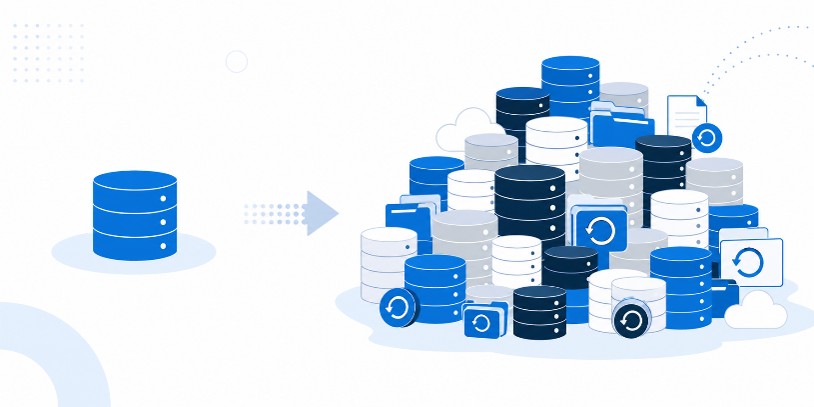 In many organizations, the copies of data take up more room than the actual production data they came from. That happens because of how copies have traditionally been handled — by hand, one full copy at a time, using a different tool for each storage system.
The result is predictable:
- Redundant copies eating up your most expensive storage
- Slow refresh cycles that hold up development and testing
- Protection and recovery that work differently depending on the system
- High operational overhead for database admins and IT teams
What Dell Copy Data Management Does
Dell Copy Data Management (CDM) is a single place to create, manage, refresh and retire data copies. Instead of juggling separate tools and manual steps, your team sets the rules once and lets CDM handle the rest.
The core of it comes down to the following key things:
- Policy-driven automation for copy creation, retention, and expiration
- Application consistent copies for databases like Oracle and Microsoft SQL Server
- Space-efficient copies using snapshots, thin provisioning and incremental changes
- Self-service workflows that reduce reliance on storage administrators
- API-driven integration with DevOps and IT automation tools
It also lets teams grab the copies they need on their own without waiting on a storage admin, and it plugs into the DevOps and automation tools they already use.
One Approach, Three Storage Platforms
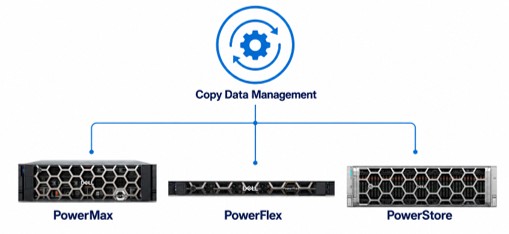
CDM works across Dell’s main storage systems — PowerMax, PowerFlex and PowerStore — while playing to what each one does best.
- PowerMax (for the most critical workloads): Makes space-efficient database copies without slowing down production. Large Oracle and SQL environments can spin up fully usable copies in minutes. Common uses: refreshing test environments quickly, recovering fast after data corruption or a cyber incident, and running analytics on near-current data. Security and encryption stay fully intact.
- PowerFlex (for large, spread-out environments): Makes incremental SQL copies that only store changes, so you skip redundant full clones. Refreshes that used to take hours now take minutes with no performance hit. Common uses: instant test environments, lightweight compliance and audit copies, and consistent data for reporting.
- PowerStore (for teams that want it simple): Builds on its native snapshot and replication features to standardize copy workflows and cut manual effort across mixed workloads. Common uses: quick test setups, space-saving backup and compliance copies, business continuity, and data for analytics or AI/ML.
The point across all three: consistent, automated copy management without giving up what makes each platform good.
What You Actually Get Out of It
- Lower storage costs — fewer redundant copies on expensive storage
- Faster time-to-value — quicker development, testing, and analytics
- Lower operational risk — automated, consistent protection and recovery
- More time for the team — automation handles the routine copy work instead of DBAs and IT
Put simply, copy data stops being a cost you tolerate and becomes something that actually helps the business move faster.
Why This Matters for Channel Partners
For Dell partners, this is a way to sell outcomes, not just hardware. CDM turns a hidden cost into a selling point and opens up conversations about efficiency and resilience instead of just another infrastructure refresh.
With CDM, partners can:
- Address customer pain around cost, complexity, and agility
- Set PowerMax, PowerFlex and PowerStore apart beyond raw performance
- Add software value to both new deals and existing-customer expansions
- Position Dell storage as the base for long-term data modernization
The Bottom Line
As data keeps growing, managing copies well isn’t a nice-to-have anymore. Dell Copy Data Management — across PowerMax, PowerFlex and PowerStore — gives you a smarter way to protect data, move faster, and keep costs under control. It takes one of IT’s messiest problems and turns it into something measurable.
Ready to take a look? Talk to your Dell Technologies rep or channel partner to review what you have today and see how CDM can cut costs and improve resilience across your storage environment.